
Introduction
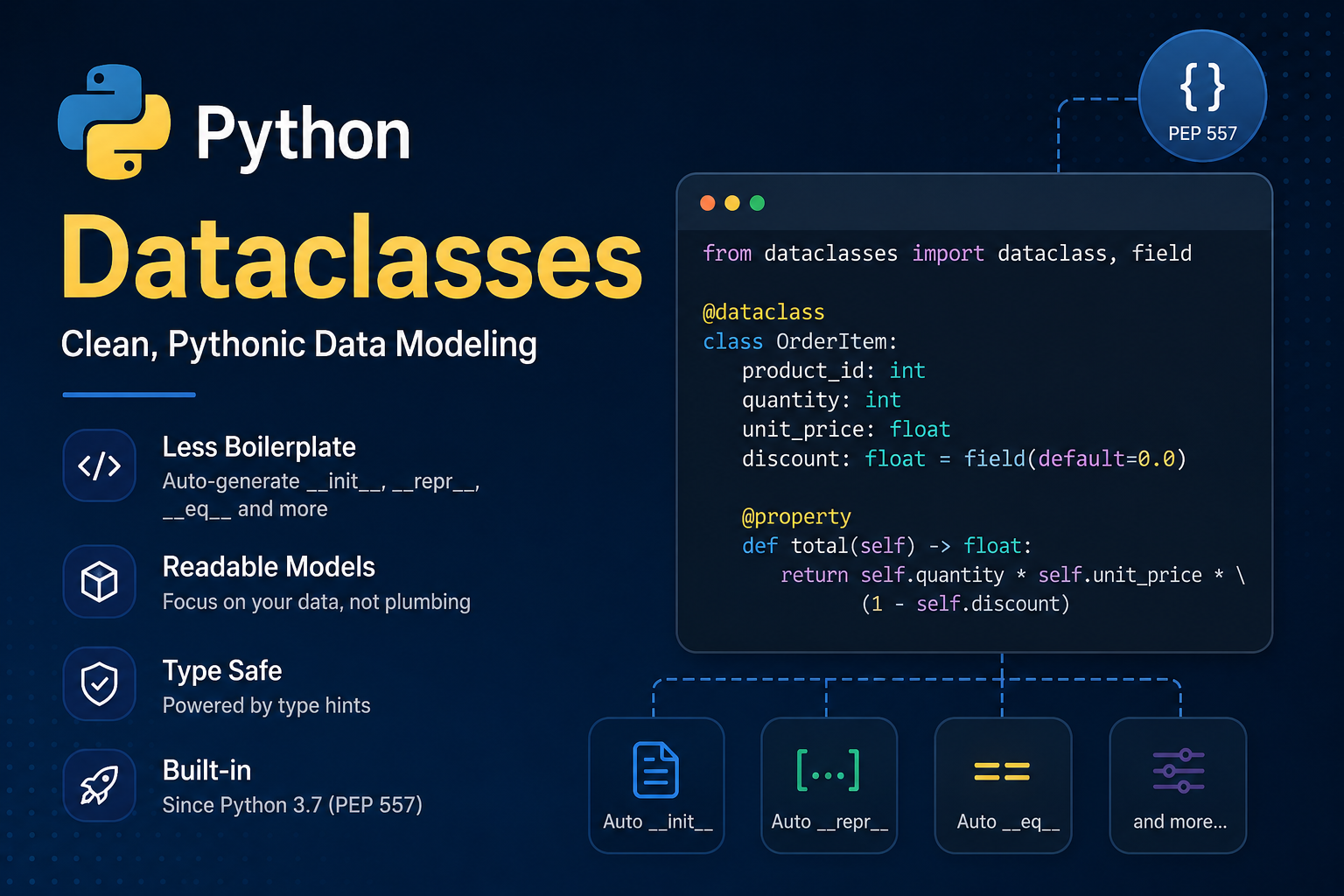
When a Python class exists primarily to represent data, we often write repetitive code. We need to define __init__(), assign attributes, implement __repr__() for debugging, and often implement __eq__() to compare objects.
Dataclasses reduce this boilerplate and make the intent of the class more explicit.
What are Dataclasses?
A Dataclass is a regular class processed by the @dataclass decorator. The decorator examines type annotations and adds generated methods such as __init__(), __repr__(), and __eq__().
from dataclasses import dataclass

@dataclass
class User:
    name: str
age: intWe can then write:
user = User("Alison", 38)

print(user)
# User(name='Alison', age=38)And:
user1 = User("Alison", 38)
user2 = User("Alison", 38)

print(user1 == user2)
# TrueThe official documentation explains that the decorator does not create a new class: it processes the existing class, adds the generated methods, and returns the same class.
When were they introduced?
Dataclasses were proposed in PEP 557 and added to Python 3.7. The proposal aimed to provide a standard-library solution for classes that primarily represent data while reducing repetitive code.
Before them, developers commonly wrote classes manually, used namedtuple, typing.NamedTuple, or libraries such as attrs.
What happens when a Dataclass is created?
This is one of the most important parts to understand.
Consider:
@dataclass
class User:
    name: str
age: intWhen the decorator runs, it examines User.__annotations__ and identifies name and age as fields.
With the default parameters (init=True, repr=True, eq=True), it generates methods equivalent to:
def __init__(self, name: str, age: int):
    self.name = name
    self.age = age

def __repr__(self):
    return f"User(name={self.name!r}, age={self.age!r})"

def __eq__(self, other):
    if other.__class__ is self.__class__:
        return (
            self.name == other.name
            and self.age == other.age
        )
return NotImplementedThis is a conceptual representation of the result; it does not mean this exact source code is literally inserted into the class.
Getters and Setters: What they are and how they work in Python
What are they?
In languages like Java or C#, it is common to see code like this:
// Java - traditional getters and setters
public class User {
    private String name;
    private int age;

    public String getName() { return this.name; }
    public void setName(String name) { this.name = name; }

    public int getAge() { return this.age; }
    public void setAge(int age) { this.age = age; }
}In these languages, attribute access always goes through methods:
User user = new User();
user.setName("Alison");
System.out.println(user.getName());How does it work in Python?
In Python, attribute access is direct - we don’t need get_ and set_ methods:
user = User("Alison", 38)

# Direct access (no get_name() needed)
print(user.name)   # Alison

# Direct assignment (no set_name() needed)
user.age = 39Does a Dataclass create getters and setters?
No. It is common to see the claim that a Dataclass “creates getters and setters for each attribute.” This is not true in Python.
Dataclasses do not generate methods like:
get_name()
set_name()
get_age()
set_age()What Dataclasses generate are the special methods (__init__, __repr__, __eq__), which run “under the hood” and are not called directly by the programmer.
What if I need logic when accessing or changing a value?
If you need validation or logic when reading or writing an attribute, use @property:
from dataclasses import dataclass

@dataclass
class User:
    name: str
    _age: int

    @property
    def age(self) -> int:
        """Getter: logic when accessing the value."""
        return self._age

    @age.setter
    def age(self, value: int) -> None:
        """Setter: logic when changing the value."""
        if value < 0:
            raise ValueError("Age cannot be negative")
self._age = valueNow:
user = User("Alison", 38)

print(user.age)      # 38 - calls the getter under the hood
user.age = 39        # calls the setter under the hood
user.age = -5 # ValueError: Age cannot be negativeThe property provides the user.age interface, while the getter and setter contain the actual logic. This logic is not generated automatically by the Dataclass.
Visual summary
┌─────────────────────────────────────────────────────────────┐
│  OTHER LANGUAGES (Java, C#)                                 │
│  user.getName()  →  explicit getter                         │
│  user.setName(x) →  explicit setter                         │
├─────────────────────────────────────────────────────────────┤
│  PYTHON (default)                                           │
│  user.name       →  direct attribute access                 │
│  user.name = x   →  direct assignment                       │
├─────────────────────────────────────────────────────────────┤
│  PYTHON (with @property)                                    │
│  user.name       →  calls getter under the hood             │
│  user.name = x   →  calls setter under the hood             │
│  (same interface, but with embedded logic)                  │
├─────────────────────────────────────────────────────────────┤
│  DATACLASS                                                  │
│  DOES NOT create get_name() / set_name()                    │
│  Creates __init__, __repr__, __eq__ (special methods)       │
└─────────────────────────────────────────────────────────────┘__init__(), __repr__(), and __eq__()
__init__()
Initializes the instance after it is created.
@dataclass
class User:
    name: str
age: intThe Dataclass conceptually generates:
def __init__(self, name: str, age: int):
    self.name = name
self.age = ageSo:
user = User("Alison", 38)works without us having to write the method.
__repr__()
Provides a useful representation of the object:
print(User("Alison", 38))
# User(name='Alison', age=38)This is especially useful for debugging, logs, and collections.
We can prevent a field from appearing:
from dataclasses import dataclass, field

@dataclass
class User:
    name: str
password: str = field(repr=False)__eq__()
Allows value-based comparison:
user1 = User("Alison", 38)
user2 = User("Alison", 38)

user1 == user2
# TrueThe default eq=True causes the Dataclass to generate this method.
Version note: in Python 3.13, the generated
__eq__()implementation changed to compare fields individually instead of constructing tuples for comparison.
@dataclass - Decorator parameters
The current signature is:
@dataclass(
    *,
    init=True,
    repr=True,
    eq=True,
    order=False,
    unsafe_hash=False,
    frozen=False,
    match_args=True,
    kw_only=False,
    slots=False,
    weakref_slot=False,
)The most important parameters are:
| Parameter | What it does | Documentation |
|---|---|---|
init | Generates __init__() | dataclasses |
repr | Generates __repr__() | dataclasses |
eq | Generates __eq__() | dataclasses |
order | Generates __lt__, __le__, __gt__, __ge__ | dataclasses |
unsafe_hash | Forces generation of __hash__() | dataclasses |
frozen | Prevents normal field assignments | Frozen instances |
match_args | Controls __match_args__ for pattern matching | dataclasses |
kw_only | Makes fields keyword-only | dataclasses |
slots | Generates __slots__ | dataclasses |
weakref_slot | Adds __weakref__, requires slots=True | dataclasses |
Default value vs. field(default=...) - What’s the difference?
These two declarations:
age: int = 18and:
age: int = field(default=18)produce, for this simple case, the same default value and the same __init__() parameter:
def __init__(self, age: int = 18):
self.age = ageThe difference is purpose and flexibility.
When to use age: int = 18?
Use when you simply want a default value, with no extra configuration:
@dataclass
class User:
    name: str
age: int = 18✅ Advantage: shorter, more readable, sufficient for 90% of cases.
When to use field(default=18)?
Use when you also need to configure the behavior of that field:
from dataclasses import field

@dataclass
class User:
    name: str
    age: int = field(
        default=18,
        repr=False,      # doesn't appear in print()
        compare=False,   # doesn't participate in == comparison
)In this example, age still defaults to 18, but:
- does not appear in
repr - does not participate in generated equality/comparison methods
What else does field() allow?
field(
    default=18,                    # simple default value
    default_factory=list,          # mutable default (function)
    init=False,                   # doesn't appear in __init__
    repr=False,                   # doesn't appear in __repr__
    compare=False,                # doesn't participate in ==, <, >
    hash=False,                   # doesn't participate in __hash__
    metadata={"description": "User age"},  # extra metadata
)Decision flowchart
                    Do you want a default value?
                           │
           ┌───────────────┴───────────────┐
           ▼                               ▼
    Is it just a simple value?      Do you need extra configuration?
           │                               │
           ▼                               ▼
    age: int = 18                  age: int = field(
    (more readable)                     default=18,
                                        repr=False,
    ✅ Recommended                      compare=False,
    for beginners                       ...)

                                        ✅ Recommended
when control is neededFields with default values
@dataclass
class User:
    name: str
    age: int
active: bool = TrueThen:
user = User("Alison", 38)uses True for active.
⚠️ Important rule: fields without defaults must appear before fields with defaults.
Mutable values and default_factory
❌ The problem
Avoid:
@dataclass
class ShoppingCart:
items: list[str] = [] # DANGER! All objects share the same listThis creates a single list at class definition time. All instances share that same list.
✅ The solution
For mutable values, use:
from dataclasses import field

@dataclass
class ShoppingCart:
items: list[str] = field(default_factory=list)default_factory receives a zero-argument callable. It is called when a new instance needs the default value, creating a new and independent list for each object.
cart1 = ShoppingCart()
cart2 = ShoppingCart()

cart1.items.append("Book")

print(cart1.items)  # ['Book']
print(cart2.items) # [] ← separate list!Why use __post_init__()?
__post_init__() is the extension point for a Dataclass’s automatic initialization. It is called automatically after the generated __init__() assigns all fields.
When to use it?
| Situation | Example |
|---|---|
| Calculate derived attributes | area = width * height |
| Validate combinations of fields | if price < 0: raise ValueError |
| Normalize data after assignment | convert string to uppercase |
| Initialization depending on multiple attributes | full_name = first + " " + last |
Work with InitVar | pass temporary values to init |
Call a base class __init__() | inheritance with dataclasses |
Example 1: Derived attribute
from dataclasses import dataclass, field

@dataclass
class Rectangle:
    width: float
    height: float
    area: float = field(init=False)  # doesn't go into __init__()

    def __post_init__(self):
self.area = self.width * self.heightWhat happens under the hood when we create Rectangle(10, 5):
1. Generated __init__() runs:
   self.width = 10
   self.height = 5

2. Automatically calls:
   self.__post_init__()

3. __post_init__() runs:
self.area = 10 * 5 → 50.0rectangle = Rectangle(10, 5)
print(rectangle.area) # 50.0Example 2: Validation
@dataclass
class Product:
    name: str
    price: float

    def __post_init__(self):
        if self.price < 0:
            raise ValueError("Price cannot be negative")
        if not self.name.strip():
raise ValueError("Name cannot be empty")# Works normally
product = Product("Laptop", 1500.00)
# Raises error at creation time
product = Product("Laptop", -100)
# ValueError: Price cannot be negativeExample 3: Data normalization
@dataclass
class User:
    name: str
    email: str

    def __post_init__(self):
        self.name = self.name.strip().title()
self.email = self.email.strip().lower()user = User(" alison ", " Alison@Email.COM ")
print(user.name) # Alison
print(user.email) # alison@email.com⚠️ Important
__post_init__() is called automatically only when the Dataclass generates __init__(). If you use init=False or write your own __init__(), the automatic call does not happen.
Custom methods
Dataclasses remain normal Python classes:
@dataclass
class Product:
    name: str
    price: float

    def apply_discount(self, percentage: float) -> None:
        self.price *= 1 - percentage / 100

    @property
    def price_with_tax(self) -> float:
return self.price * 1.10We can add properties, methods, validation, and other functionality normally.
frozen=True - Immutable instances
from dataclasses import dataclass

@dataclass(frozen=True)
class Point:
    x: float
y: floatAfter creation:
point = Point(10, 20)
point.x = 30
# FrozenInstanceError: cannot assign to field 'x'This provides a way to emulate read-only instances.
⚠️ Attention:
frozen=Truedoes not make nested objects deeply immutable. A list stored in a field remains a mutable list.
order=True - Object ordering
@dataclass(order=True)
class Product:
price: floatGenerates:
__lt__   # less than (<)
__le__   # less than or equal (<=)
__gt__   # greater than (>)
__ge__ # greater than or equal (>=)Allows:
Product(10) < Product(20)
# True⚠️ Only use
order=Truewhen ordering genuinely makes sense for the domain. Not every entity has a useful concept of “less than” and “greater than”.
slots=True - Memory optimization
@dataclass(slots=True)
class User:
    name: str
age: intslots=True creates a Dataclass based on __slots__, which can:
- Reduce the memory overhead of each instance
- Speed up attribute access
- Restrict arbitrary attributes (you cannot add
user.new_attribute = 1)
weakref_slot=True
This is a more advanced feature:
@dataclass(slots=True, weakref_slot=True)
class User:
name: strIt adds __weakref__ and requires slots=True.
kw_only=True - Keyword-only arguments
@dataclass(kw_only=True)
class User:
    name: str
age: intNow:
User(name="Alison", age=38)   # ✅ valid
User("Alison", 38) # ❌ TypeErrorUseful to avoid confusion with argument order.
Helper functions from the dataclasses module
The module provides useful helper functions:
from dataclasses import (
    asdict,
    astuple,
    fields,
    replace,
    is_dataclass,
)asdict() - Convert to dictionary
user = User(name="Alison", age=38)

asdict(user)
# {"name": "Alison", "age": 38}astuple() - Convert to tuple
astuple(user)
# ("Alison", 38)fields() - Inspect fields
for item in fields(User):
    print(item.name, item.type, item.default)

# name <class 'str'> <dataclasses._MISSING_TYPE object>
# age <class 'int'> 18replace() - Create a modified copy
updated = replace(user, age=39)
# User(name='Alison', age=39) - original user is unchanged!replace() creates a new instance and goes through __init__() and, consequently, __post_init__().
is_dataclass() - Check if it is a dataclass
is_dataclass(User)     # True
is_dataclass(user)     # True (instance also works)
is_dataclass(str) # FalseDataclass vs. regular class vs. NamedTuple
| Feature | Regular class | Dataclass | NamedTuple |
|---|---|---|---|
| Boilerplate | Higher | Lower | Lower |
| Mutability | Usually yes | Yes by default | No |
| Custom methods | Excellent | Excellent | Possible |
| Value equality | Manual | Automatic | Yes |
| Default values | Manual | Yes | Yes |
| Tuple semantics | No | No | Yes |
| Field control | Maximum | High | More limited |
| Performance (slots) | Yes | Yes (slots=True) | Yes (inherent) |
When to use each one?
┌─────────────────────────────────────────────────────────────────┐
│  Does the class PRIMARILY represent structured data?            │
│                      │                                          │
│         ┌────────────┴────────────┐                           │
│         ▼                         ▼                           │
│        YES                        NO                           │
│         │                         │                           │
│         ▼                         ▼                           │
│  ┌──────────────┐        ┌─────────────────┐                │
│  │  Do you need │        │  Regular class  │                │
│  │  immutability│        │  (full control  │                │
│  │  or tuple    │        │  of behavior)   │                │
│  │  semantics?  │        └─────────────────┘                │
│  │      │        │                                           │
│  │  ┌───┴───┐    │                                           │
│  │  ▼       ▼    │                                           │
│  │ YES     NO    │                                           │
│  │  │      │     │                                           │
│  │  ▼      ▼     │                                           │
│  │ NamedTuple  Dataclass                                      │
│  └───────────────┘                                           │
└─────────────────────────────────────────────────────────────────┘- Use a Dataclass when the class primarily represents structured data.
- Use a regular class when behavior and business rules require more specific control.
- Use a NamedTuple when tuple semantics, immutability, and compatibility with APIs expecting tuples are important.
Practical use cases
DTO (Data Transfer Object)
@dataclass
class UserDTO:
    id: int
    name: str
email: strConfiguration
@dataclass
class DatabaseConfig:
    host: str
    port: int = 5432
    database: str = "app"
ssl: bool = TrueProcessing result
@dataclass
class ProcessingResult:
    success: bool
    processed: int
errors: intInternal model with logic
@dataclass
class OrderItem:
    product_id: int
    quantity: int
    unit_price: float

    @property
    def total(self) -> float:
        return self.quantity * self.unit_price

    def __post_init__(self):
        if self.quantity <= 0:
raise ValueError("Quantity must be positive")Common mistakes and pitfalls
❌ Do not use mutable lists, dictionaries, or sets directly as defaults
# WRONG
items: list[str] = []

# RIGHT
items: list[str] = field(default_factory=list)❌ Do not confuse frozen=True with deep immutability
@dataclass(frozen=True)
class Container:
    items: list[str]

container = Container(["a", "b"])
container.items.append("c") # Works! The internal list is mutable❌ Do not use unsafe_hash=True without understanding hashing and equality
Hash must be consistent with the object’s equality semantics.
❌ Do not use order=True without a natural ordering
Not every entity has a useful concept of “less than” and “greater than”.
❌ Do not turn every class into a Dataclass
A Dataclass is a tool, not an architectural rule.
A Dataclass is not an ORM
A Dataclass is not automatically a database model.
It can represent a DTO, a domain object, a configuration, or a service result, but it does not replace persistence mechanisms such as Django ORM or SQLAlchemy.
┌─────────────────┐     ┌─────────────────┐     ┌─────────────────┐
│   Database      │     │   SQLAlchemy/   │     │   Dataclass     │
│                 │◄────│   Django ORM    │────►│   (DTO/Model)   │
│                 │     │                 │     │                 │
└─────────────────┘     └─────────────────┘     └─────────────────┘
       ↑                                               ↓
       └──────────── Persistence ─────────────────────┘

Dataclass = data representation
ORM = persistence and queryingConclusion
Dataclasses were introduced in Python 3.7 through PEP 557 to reduce boilerplate and make data-oriented classes more declarative.
The most important concepts are:
- Generated special methods (
__init__,__repr__,__eq__) field()for advanced field configuration- Simple default values vs.
field(default=...) default_factoryfor mutable values__post_init__()as an initialization extension pointfrozenfor shallow immutabilityorderfor orderingslotsfor memory optimizationkw_onlyfor keyword-only arguments- Helper functions:
asdict(),astuple(),fields(),replace(),is_dataclass()
The main point is not simply to write less code.
It is about clearly declaring the data structure and letting Python generate mechanical behavior when it makes sense.
References
- Python Documentation - dataclasses
- Python Documentation - field()
- Python Documentation - post-init processing
- Python Documentation - Class variables
- Python Documentation - Init-only variables
- Python Documentation - Frozen instances
- Python Documentation - Inheritance
- Python Documentation - Module contents
- Python Glossary - Special Method
- Python Data Model - object.init
- Python Data Model - object.repr
- Python Data Model - object.eq
- PEP 557 - Data Classes