
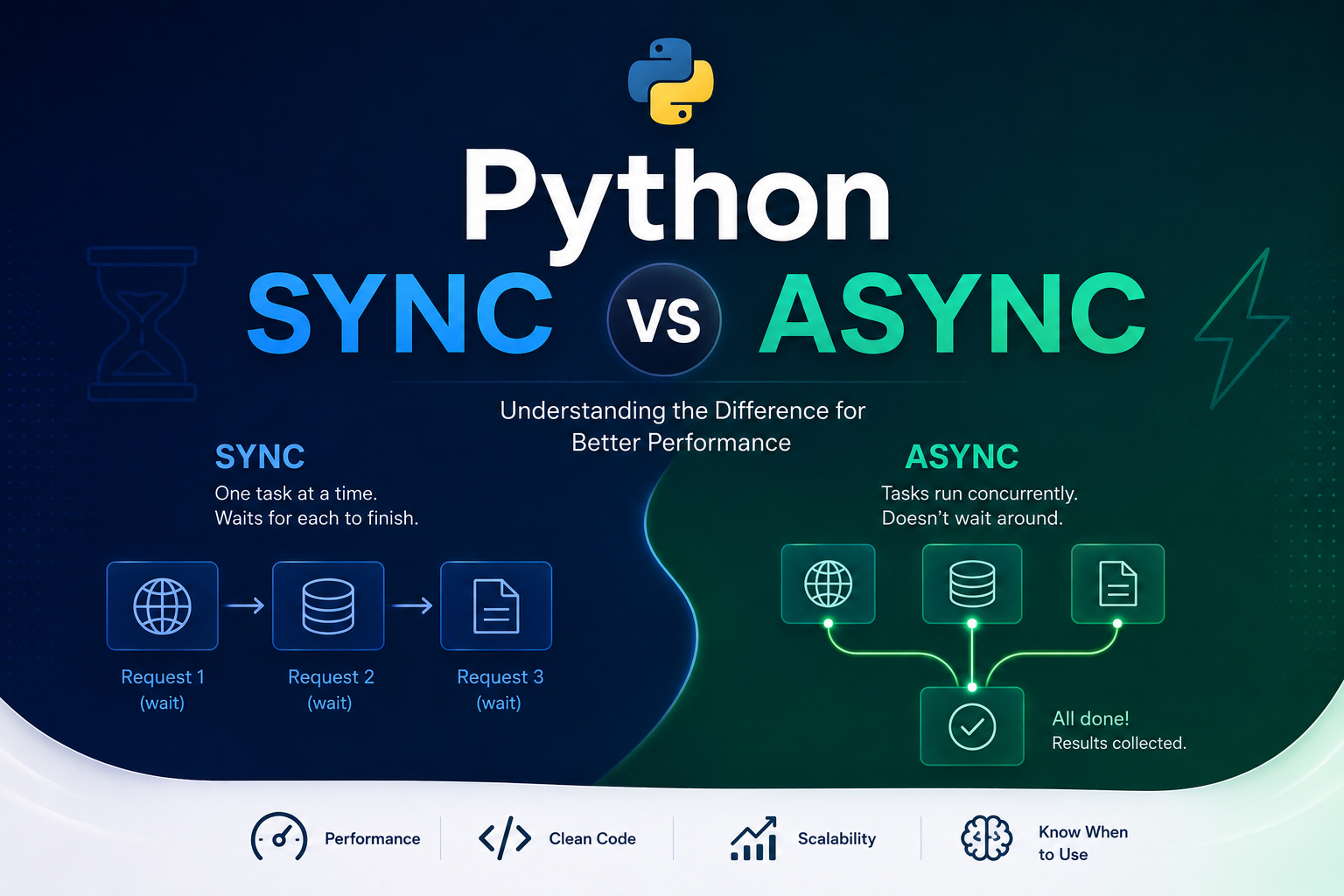
Sync vs Async in Python - Understanding What’s Happening
When we start programming in Python, almost everything we write is synchronous
(an execution model where operations are performed sequentially, blocking the
main thread until each task is completed before the next one starts).
And this usually works very well.
You call a function. It executes. Then the next one executes. And so on.
The problem starts when the application needs to talk to the “outside world”:
- External APIs
- Database
- File upload and download
- Redis
- Kafka
- RabbitMQ
- WebSockets
At that point, many applications start to become slow, sluggish, poorly scalable, and consuming resources unnecessarily.
This is exactly where asynchronous programming comes in.
But before you start writing async/await, it’s worth understanding the problem this model solves - and why it exists. With this context, the pieces fit together much more naturally.
In this article we will learn:
- What a program does
- What I/O is
- What CPU is and what “bound” means
- What a thread is and what the GIL is
- How the synchronous flow works
- What blocking is
- What async is and why it exists
- What throughput is
- Concurrency vs parallelism
- What the
asynciolibrary is - What coroutines are
- What the Event Loop is
- How await works
- What cooperativeness is
- How tasks are scheduled
- What Tasks and
asyncio.all_tasksare gathervscreate_task- Concurrency control: Semaphore vs aiometer
- Synchronization
- What Streams are
- What Timeouts are
- Async queues
requestsandhttpx- Rate limit and HTTP 429
- When async helps and when it doesn’t
What does a program do?
When a program runs, it is basically:
- executing instructions
- processing data
- waiting for something
- repeating this cycle
Simple example:
print("Hello")Python reads the instruction, executes it, and finishes. Fast, straightforward, no waiting.
Now imagine:
response = requests.get("https://api.com")Here the situation changes completely.
Python now needs to:
- open an internet connection
- find the server
- send the data
- wait for the response
- receive the data
- parse the response
All of this can take milliseconds, seconds, or more. And during that time, the application sits idle waiting.
What is I/O?
You’ll hear this term a lot.
I/O = Input / Output, that is: data entry and exit.
Whenever the program needs to talk to something external to the process, we have I/O.
| Operation | I/O Type |
|---|---|
| Call API | Network |
| Read file | Disk |
| Save to DB | Network/Disk |
| Upload | Network |
| Download | Network |
| Kafka | Network |
| RabbitMQ | Network |
| Redis | Network |
The most important characteristic: I/O is usually slow. Much slower than the CPU.
What is CPU? And what does “bound” mean?
CPU is the processor. It’s what executes calculations, and it’s extremely fast.
The problem: when we do I/O, the CPU often sits idle doing practically nothing.
CPU:  [====]...........[====]...........[====]
       working         waiting for net    working

All this space = wasted timeWhat does “-bound” mean?
You’ll often see the terms I/O-bound and CPU-bound. They describe which resource is the bottleneck of your application - that is, what is limiting the speed.
“Bound” means “limited by” or “stuck in”. So:
- I/O-bound: the application spends most of its time waiting for I/O - network, disk, database. The CPU is idle. The bottleneck is the wait.
I/O-bound Application:

CPU:  [==].............[==].............[==]
       working         waiting for net    working
                ↑
80-90% of the time is waiting - idle CPU- CPU-bound: the application spends most of its time processing - calculations, rendering, compression, machine learning. The bottleneck is processing capacity.
CPU-bound Application:

CPU:  [=============================================]
       processing the entire time
                ↑
CPU at 100% - no idle timeThis distinction is fundamental to understanding when to use async - and when it doesn’t help.
What is a Thread?
A thread is an independent flow of execution within a process.
Imagine a kitchen. If there is only one cook:
Makes dish 1 → finishes → Makes dish 2 → finishes → Makes dish 3This is similar to a single thread: one thing at a time, sequentially.
Now imagine multiple cooks working at the same time - that would be multiple threads.
In traditional Python, we usually have one main thread executing instructions.
What is the GIL?
GIL = Global Interpreter Lock
It is an internal mechanism of CPython (the standard Python implementation) that ensures only one thread executes Python bytecode at a time, even on machines with multiple CPU cores.
Without GIL (theoretical ideal):   With GIL (actual CPython):

Thread 1: [====][====][====]    Thread 1: [====]------[====]
Thread 2: [====][====][====]    Thread 2: ------[====]------
Thread 3: [====][====][====]    Thread 3: only runs when others release

3x more work practically sequentialWhy does this matter?
- For I/O-bound applications: threads work reasonably well, because while one thread waits for network or disk, the GIL is released and another thread can execute.
- For CPU-bound applications: threads practically don’t help in CPython, because the GIL prevents true parallel execution. In this case, the solution is
multiprocessing- separate processes have separate GILs.
The GIL is also one of the reasons why async with a single thread can be more efficient than multiple threads for I/O: no context switching overhead, no lock contention.
How does the synchronous flow work?
In the synchronous model, one task must finish before the next one starts.
import requests

response1 = requests.get("https://api.com/1")
response2 = requests.get("https://api.com/2")
response3 = requests.get("https://api.com/3")Visual flow - time passes from left to right:
Time →→→→→→→→→→→→→→→→→→→→→→→→→→→→→→→→→→→→→→→→→→→→→→→→→

Request 1: [send][=======waiting=======][receive]
Request 2:                                          [send][=======waiting=======][receive]
Request 3: [send][=======waiting=======][receive]While Request 1 waits for a response, Request 2 hasn’t even started. Everything in a queue, one at a time.
The problem with the synchronous model
Imagine: each request takes 500ms. We have 100 requests.
100 × 500ms = 50 seconds of waitingBut there is an important detail. During most of those 500ms, the CPU is not working - it’s waiting for the network to respond. It’s pure wasted time.
What is Blocking?
Blocking happens when an operation prevents the program from continuing until it finishes.
requests.get(url) # ← blocking operationWhile the response hasn’t arrived:
- the thread is stuck
- the code doesn’t advance
- nothing else can happen on that execution
This is called a blocking operation. The problem is not the processing - it’s the time wasted waiting. And that’s exactly what async solves.
What is Async?
Async is a programming model focused on concurrency during I/O wait.
Async does not mean:
- “running everything at the same time”
- “using multiple CPU cores”
- “being faster in every situation”
The goal is simple: take advantage of the time the program would otherwise be idle waiting.
The main idea of async
Instead of:
Executes → Waits idle → Executes → Waits idleWe have:
Executes → Waits without blocking → While waiting, another task executesVisually with timeline:
Time →→→→→→→→→→→→→→→→→→→→→→→→→→→→→

Request 1: [send][=====waiting=====][receive]
Request 2: [send][=======waiting========][receive]
Request 3: [send][====waiting====][receive]
              ↑
   all start at nearly the same time
the Event Loop switches between them while they waitInstead of waiting for one to finish before starting the next, async starts them all and alternates as each one receives a response.
What is Throughput?
Throughput is the amount of work done in a given period of time.
Example: an API that can process 100 requests per second has higher throughput than one that processes 10 per second.
Async usually improves throughput in I/O operations because the application spends less time idle waiting.
Concurrency vs parallelism - the difference that matters
These two terms are often confused. Understanding the difference is essential.
Concurrency: multiple tasks progressing together, alternating execution on a single thread.
Parallelism: multiple tasks literally executing at the same time, on multiple cores/processes.
CONCURRENCY (async - 1 thread, 3 tasks):

Single thread:  [A][B][A][C][B][A finishes][C][B finishes][C finishes]
                ↑
    one at a time, but all make progress
    A waits in line while B executes, and vice versa


PARALLELISM (multiprocessing - 3 processes):

Process 1: [A executes===================]
Process 2: [B executes===================]
Process 3: [C executes===================]
              ↑
truly simultaneous, on different coresAsync uses concurrency, not parallelism. For true parallelism in CPU-bound tasks, you need multiprocessing.
What is the asyncio Library?
Before diving into async, await, sleep, gather and everything else, it’s worth understanding where these functions come from - and what the library that provides them is.
asyncio is a library from the Python standard library (no installation needed). It was officially introduced in Python 3.4 and became the foundation of the language’s modern asynchronous model.
It solves a specific problem: how to write code that can wait for I/O operations without freezing the program?
For that, asyncio provides all the necessary infrastructure:
| What it provides | What it’s for |
|---|---|
asyncio.run() | Starts the Event Loop and runs a main coroutine |
asyncio.sleep() | Waits without blocking (unlike time.sleep) |
asyncio.create_task() | Schedules a coroutine on the Event Loop as a Task |
asyncio.gather() | Runs multiple coroutines concurrently |
asyncio.all_tasks() | Returns all active Tasks in the Event Loop |
asyncio.Queue | Async queue for communication between coroutines |
asyncio.Lock | Ensures exclusive access to shared resources |
asyncio.Semaphore | Limits how many coroutines access something simultaneously |
asyncio.Event | Signals that something happened to other coroutines |
When you import asyncio:
import asyncioYou’re bringing this entire infrastructure into your code.
The async and await keywords themselves are part of Python’s syntax (not asyncio functions). But they only work inside an Event Loop - and who provides and manages that Event Loop is asyncio.
Understanding this, it’s easy to know where everything comes from: asyncio.run() starts it all, async def defines a coroutine, await pauses and yields control, and the asyncio functions handle the rest.
What are async and await?
These two keywords are the foundation of modern asynchronous programming in Python.
async
When we write:
async def buscar_dados():
passWe’re telling Python: “this function is asynchronous”. It becomes a coroutine.
What is a Coroutine?
A coroutine is a special function that can pause in the middle of execution, yield control to another task, and continue from where it left off when resumed.
Comparing to a normal function:
Normal function:            Coroutine:

Starts                      Starts
↓                           ↓
Executes everything at once Executes a portion
↓                           ↓
Finishes                    Encounters await → pauses
                            ↓
                            Another task executes
                            ↓
                            I/O responds → resumes here
                            ↓
                            Continues executing
                            ↓
FinishesThis ability to pause and resume is the essence of async.
await
The await keyword is what makes the pause happen.
await asyncio.sleep(2)This does not mean just “wait 2 seconds”. It means:
“I am waiting. You can execute another task while I do.”
This detail changes everything. It’s the difference between freezing the system and taking advantage of idle time.
Without await - the classic mistake
If there’s no await, the coroutine doesn’t yield control. And it will block the system just like synchronous code.
import asyncio
import time


async def tarefa_errada():
    print("Iniciou")
    time.sleep(5)       # ← WRONG: blocks the entire Event Loop
    print("Terminou")


async def outra_tarefa():
    print("Outra tarefa rodando")


async def main():
    task1 = asyncio.create_task(tarefa_errada())
    task2 = asyncio.create_task(outra_tarefa())
    await task1
    await task2


asyncio.run(main())

# Output:
# Iniciou
# (5 seconds of silence - outra_tarefa doesn't run during this time)
# Terminou
# Outra tarefa rodandoThe correct way:
import asyncio


async def tarefa_correta():
    print("Iniciou")
    await asyncio.sleep(5)  # ← releases the Event Loop
    print("Terminou")


async def outra_tarefa():
    print("Outra tarefa rodando")


async def main():
    task1 = asyncio.create_task(tarefa_correta())
    task2 = asyncio.create_task(outra_tarefa())
    await task1
    await task2


asyncio.run(main())

# Output:
# Iniciou
# Outra tarefa rodando   ← executes during the sleep!
# TerminouWhat is the Event Loop?
The Event Loop is the heart of async. It manages all coroutines and decides which one to execute at each moment.
Think of it as a round-table coordinator: it asks each task “are you ready to continue?”, executes those that are, and puts back in the queue those that are waiting.
Operating cycle:
┌──────────────────────────────────────────────────┐
│                   EVENT LOOP                     │
│                                                  │
│  1. Picks the next ready task from the queue     │
│         ↓                                        │
│  2. Executes until it finds an await             │
│         ↓                                        │
│  3. Task pauses, yields control to Event Loop    │
│         ↓                                        │
│  4. Event Loop picks the next ready task         │
│         ↓                                        │
│  5. When I/O responds, reschedules the task      │
│         ↓                                        │
│  6. Back to step 1                               │
└──────────────────────────────────────────────────┘Managing multiple tasks at the same time:
              Event Loop
                   |
    ┌──────────────┼──────────────┐
    │              │              │
Task A          Task B          Task C
    │              │              │
waiting API    waiting DB     waiting file
    │              │              │
(resumes when   (resumes when  (resumes when
API responds) DB responds) read finishes)When a task does await, the Event Loop immediately moves to the next available one. No time is wasted waiting.
What is Cooperativeness?
The async model works cooperatively.
Each coroutine must voluntarily yield control using await. When it does this, it tells the Event Loop: “you can execute another task now, I’m waiting”.
WITH cooperativeness:

Task A: [executes]→await→[executes]→await→[finishes]
Task B:          [executes]→await→[executes]→[finishes]
Task C:                   [executes]→[finishes]
               ↑
   Event Loop alternates between them at await points


WITHOUT cooperativeness (task A never uses await):

Task A: [executes...executes...executes...executes...finishes]
Task B:                                                  [executes] ← only starts after
Task C:                                                             [executes] ← same
               ↑
Event Loop is stuck in A the entire timeThis is different from threads, where the operating system can force context switching. In async, the task needs to cooperate.
What are Tasks?
Tasks are coroutines that have been handed over to the Event Loop to manage.
A coroutine by itself is just an object - it doesn’t execute until you await it. When you create a Task, the Event Loop takes over and starts executing that coroutine in the background.
coroutine = buscar(url)          # object, doesn't execute yet
task = asyncio.create_task(buscar(url)) # scheduled, starts running nowVisually:
Coroutine (Python object)
      ↓
asyncio.create_task()
      ↓
Task created and scheduled in the Event Loop
      ↓
Event Loop starts executing when possible
      ↓
You can continue doing other things and await the Task laterComplete task example
import asyncio


async def buscar_dado(nome, segundos):
    """Simula uma busca que leva 'segundos' para responder."""
    print(f"[{nome}] Iniciando busca...")
    await asyncio.sleep(segundos)
    print(f"[{nome}] Busca concluída após {segundos}s")
    return f"resultado de {nome}"


async def main():
    print("Criando tasks...")

    # create_task schedules the coroutines immediately
    task1 = asyncio.create_task(buscar_dado("API de usuários", 2))
    task2 = asyncio.create_task(buscar_dado("API de produtos", 1))
    task3 = asyncio.create_task(buscar_dado("API de pedidos", 3))

    print("Tasks criadas. Aguardando resultados...")

    # await on tasks: waits for each to finish
    resultado1 = await task1
    resultado2 = await task2
    resultado3 = await task3

    print(f"\nResultados: {resultado1}, {resultado2}, {resultado3}")


asyncio.run(main())

# Output:
# Criando tasks...
# Tasks criadas. Aguardando resultados...
# [API de usuários] Iniciando busca...
# [API de produtos] Iniciando busca...
# [API de pedidos] Iniciando busca...
# [API de produtos] Busca concluída após 1s    ← finishes first
# [API de usuários] Busca concluída após 2s
# [API de pedidos] Busca concluída após 3s     ← finishes last
# Total time: ~3s (not 6s, because they ran concurrently)What is asyncio.all_tasks?
asyncio.all_tasks() returns the set of all Tasks that are currently active in the Event Loop.
It is very useful for:
- monitoring how many tasks are running
- debugging situations where tasks get stuck or don’t finish
- canceling tasks during application shutdown
- inspecting the system state at runtime
asyncio.all_tasks()
# returns: Set[Task] - all currently active tasksComplete example: monitoring running tasks
import asyncio


async def tarefa_lenta(nome, segundos):
    print(f"[{nome}] iniciou")
    await asyncio.sleep(segundos)
    print(f"[{nome}] terminou")


async def monitor():
    """Checks how many tasks are active every second."""
    for _ in range(4):
        await asyncio.sleep(1)
        tasks_ativas = asyncio.all_tasks()
        # filters out the monitor's own task so it doesn't count itself
        tasks_de_trabalho = {t for t in tasks_ativas if t.get_name() != "monitor"}
        print(f"[monitor] Tasks ativas: {len(tasks_de_trabalho)}")
        for t in tasks_de_trabalho:
            print(f"  - {t.get_name()}: {'executando' if not t.done() else 'concluída'}")


async def main():
    # creates tasks with names for easier reading
    task1 = asyncio.create_task(tarefa_lenta("busca-A", 2), name="busca-A")
    task2 = asyncio.create_task(tarefa_lenta("busca-B", 3), name="busca-B")
    task3 = asyncio.create_task(tarefa_lenta("busca-C", 1), name="busca-C")
    mon   = asyncio.create_task(monitor(), name="monitor")

    await asyncio.gather(task1, task2, task3, mon)


asyncio.run(main())

# Approximate output:
# [busca-A] iniciou
# [busca-B] iniciou
# [busca-C] iniciou
# [busca-C] terminou                    ← finishes in 1s
# [monitor] Tasks ativas: 2
#   - busca-A: executando
#   - busca-B: executando
# [busca-A] terminou                    ← finishes in 2s
# [monitor] Tasks ativas: 1
#   - busca-B: executando
# [busca-B] terminou                    ← finishes in 3s
# [monitor] Tasks ativas: 0Example: canceling all tasks on shutdown
A very common use in production is to cancel all pending tasks when shutting down the application:
import asyncio
import signal


async def worker(nome):
    try:
        print(f"[{nome}] trabalhando...")
        await asyncio.sleep(60)  # simulates long work
        print(f"[{nome}] concluído")
    except asyncio.CancelledError:
        print(f"[{nome}] foi cancelada durante shutdown")
        raise  # important: re-raise so the Event Loop knows it was cancelled


async def main():
    tasks = [
        asyncio.create_task(worker("task-1")),
        asyncio.create_task(worker("task-2")),
        asyncio.create_task(worker("task-3")),
    ]

    # simulates a shutdown signal after 2 seconds
    await asyncio.sleep(2)
    print("\nIniciando shutdown...")

    # cancels all active tasks (except main itself)
    todas = asyncio.all_tasks()
    task_atual = asyncio.current_task()
    para_cancelar = todas - {task_atual}

    for task in para_cancelar:
        task.cancel()

    # waits for all to finish (whether completing or being cancelled)
    await asyncio.gather(*para_cancelar, return_exceptions=True)
    print("Shutdown completo.")


asyncio.run(main())

# Output:
# [task-1] trabalhando...
# [task-2] trabalhando...
# [task-3] trabalhando...
#
# Iniciando shutdown...
# [task-1] foi cancelada durante shutdown
# [task-2] foi cancelada durante shutdown
# [task-3] foi cancelada durante shutdown
# Shutdown completo.gather vs create_task - which to use?
These two are often used together, but they have distinct roles.
asyncio.create_task
Schedules a single coroutine on the Event Loop. You receive a Task object that you can control - cancel, check if finished, get the result.
task1 = asyncio.create_task(buscar("A"))
task2 = asyncio.create_task(buscar("B"))
# both are already running in the background here
# you can do other things...
resultado1 = await task1  # waits for task1 specifically
resultado2 = await task2asyncio.gather
Receives multiple coroutines (or tasks) and waits for all of them to finish, returning the results in the same order they were passed.
resultado1, resultado2, resultado3 = await asyncio.gather(
    buscar("A"),
    buscar("B"),
    buscar("C"),
)Complete example comparing both
import asyncio
import time


async def buscar(nome, segundos):
    await asyncio.sleep(segundos)
    return f"dado de {nome}"


async def com_create_task():
    inicio = time.perf_counter()

    task1 = asyncio.create_task(buscar("API-1", 2))
    task2 = asyncio.create_task(buscar("API-2", 1))

    # can do other things while tasks run
    print("Tasks criadas, fazendo outra coisa...")
    await asyncio.sleep(0.1)
    print("Terminei outra coisa, aguardando tasks...")

    r1 = await task1
    r2 = await task2

    print(f"create_task: {r1}, {r2} em {time.perf_counter() - inicio:.1f}s")


async def com_gather():
    inicio = time.perf_counter()

    r1, r2 = await asyncio.gather(
        buscar("API-1", 2),
        buscar("API-2", 1),
    )

    print(f"gather: {r1}, {r2} em {time.perf_counter() - inicio:.1f}s")


asyncio.run(com_create_task())
asyncio.run(com_gather())

# Output:
# Tasks criadas, fazendo outra coisa...
# Terminei outra coisa, aguardando tasks...
# create_task: dado de API-1, dado de API-2 em 2.0s
# gather: dado de API-1, dado de API-2 em 2.0sBoth take ~2s (limited by the slowest task). The difference is in control.
When to use each?
| Situation | Use |
|---|---|
| Want results from N coroutines at once | gather |
| Want to start a task in the background and continue | create_task |
| Need to cancel tasks individually | create_task (has .cancel()) |
| Want a failure not to cancel the others | gather(return_exceptions=True) |
How are tasks scheduled?
Scheduling is the process by which the Event Loop decides which task to run next.
asyncio uses a cooperative, callback-queue-based scheduler:
- When a task does
awaiton an I/O operation, it registers a callback (“let me know when it’s done”) and leaves the execution queue. - The Event Loop picks the next ready task.
- When the I/O responds, the callback is called and the task returns to the ready queue.
- The Event Loop executes it on the next iteration.
Ready queue:   [main] [task_A] [task_B]
                      ↓
              Event Loop runs main
              main does await → registers callback → leaves queue
                      ↓
Ready queue:   [task_A] [task_B]
              Event Loop runs task_A
              task_A does await I/O → registers callback → leaves
                      ↓
Ready queue:   [task_B]
              Event Loop runs task_B
              ...
                      ↓
              main's I/O responds → main returns to queue
Ready queue:   [main]
Event Loop runs main from where it stoppedThere is no priority between tasks by default. Scheduling is FIFO (first in, first out) for ready tasks.
Concurrency Control
A very common mistake when learning async: creating too many tasks at once.
# this can blow up
tarefas = [buscar(url) for url in urls_gigante]
await asyncio.gather(*tarefas) # 100 thousand requests at the same time!This can cause:
- rate limiting on the external API
- memory explosion (each task consumes RAM)
- overload on the target server
- IP ban
The solution is to control concurrency. We have two main tools for this: asyncio.Semaphore and aiometer. They solve the same problem, but in different ways.
What is a Semaphore?
A Semaphore is a synchronization primitive that controls how many coroutines can be executing a section of code at the same time.
Think of it as a turnstile queue with N slots. When all slots are occupied, whoever arrives must wait for someone to leave.
Semaphore(3) - maximum 3 simultaneous:

Task 1: →→ enters [========] exits →
Task 2: →→ enters [============] exits →
Task 3: →→ enters [======] exits →
Task 4: .....(waits for slot)→→ enters [========] exits →
Task 5: .........(waits for slot)→→ enters [======] exits →
          ↑
maximum 3 inside at the same timeComplete example with Semaphore
import asyncio
import time
import httpx


# limits to 5 simultaneous requests
semaphore = asyncio.Semaphore(5)


async def buscar(client, url, numero):
    async with semaphore:  # ← tries to enter; if 5 are already in, waits
        print(f"  [req {numero:3d}] iniciando")
        response = await client.get(url)
        data = response.json()
        print(f"  [req {numero:3d}] concluída - título: {data.get('title', '')[:30]}")
        return data


async def main():
    urls = [
        (f"https://jsonplaceholder.typicode.com/posts/{i}", i)
        for i in range(1, 21)  # 20 URLs
    ]

    inicio = time.perf_counter()

    async with httpx.AsyncClient() as client:
        tarefas = [buscar(client, url, num) for url, num in urls]
        resultados = await asyncio.gather(*tarefas)

    fim = time.perf_counter()
    print(f"\nTotal: {len(resultados)} resultados em {fim - inicio:.2f}s")
    print("Máximo simultâneo foi 5 (controlado pelo Semaphore)")


asyncio.run(main())The Semaphore controls how many enter at the same time, but does not control the rate per second (how many per minute/second). This is important: 5 simultaneous tasks can all finish in 0.1s and you already have 5 new ones starting.
What is aiometer?
aiometer is a library that solves concurrency control more completely.
It allows controlling two dimensions at the same time:
max_at_once: maximum simultaneous tasksmax_per_second: maximum tasks per second
Semaphore vs aiometer - what’s the real difference?
| Aspect | asyncio.Semaphore | aiometer |
|---|---|---|
| Limits simultaneous | ✅ yes | ✅ yes (max_at_once) |
| Limits per second (rate) | ❌ no | ✅ yes (max_per_second) |
| Native to Python | ✅ yes | ❌ install with pip |
| Verbosity | more manual code | more concise |
| Use case | simple control | production with external APIs |
When to use each:
Use Semaphore when you only need to limit concurrency and don’t care about the rate per second - for example, queries to your own database.
Use aiometer when calling external APIs that have rate limits (e.g., “maximum 60 requests per minute”). Semaphore alone cannot guarantee this, because 60 simultaneous tasks can all finish in 1 second and you’ve already exceeded the limit.
Complete example with aiometer
import asyncio
import time
import aiometer
import httpx


async def buscar(client, url, numero):
    response = await client.get(url)
    data = response.json()
    print(f"  [req {numero:3d}] título: {data.get('title', '')[:40]}")
    return data


async def main():
    urls = [
        (f"https://jsonplaceholder.typicode.com/posts/{i}", i)
        for i in range(1, 21)
    ]

    inicio = time.perf_counter()

    async with httpx.AsyncClient() as client:
        resultados = await aiometer.run_all(
            [lambda u=url, n=num: buscar(client, u, n) for url, num in urls],
            max_at_once=5,       # maximum 5 simultaneous
            max_per_second=3,    # maximum 3 per second
        )

    fim = time.perf_counter()
    print(f"\nTotal: {len(resultados)} resultados em {fim - inicio:.2f}s")
    print("Respeitou: máx 5 simultâneas E máx 3/segundo")


asyncio.run(main())With max_per_second=3 and 20 URLs, aiometer will take at least ~6.7s (20 / 3 = 6.7s) regardless of how many simultaneous requests you allow. It spaces the requests out over time.
What are Timeouts?
Timeout is the maximum wait time for an operation. If the operation doesn’t finish within the deadline, an error is raised.
Without a timeout, an application can be stuck waiting forever - for example, if the server crashes or the network goes down mid-request.
Complete example with httpx timeout
import asyncio
import httpx


async def buscar_com_timeout(url: str, timeout_segundos: float):
    try:
        async with httpx.AsyncClient() as client:
            response = await client.get(url, timeout=timeout_segundos)
            return response.json()
    except httpx.TimeoutException:
        print(f"Timeout após {timeout_segundos}s para: {url}")
        return None
    except httpx.RequestError as e:
        print(f"Erro de conexão: {e}")
        return None


async def main():
    urls = [
        "https://jsonplaceholder.typicode.com/posts/1",   # fast
        "https://httpbin.org/delay/10",                    # takes 10s - will timeout
    ]

    for url in urls:
        print(f"Buscando: {url}")
        resultado = await buscar_com_timeout(url, timeout_segundos=3.0)
        if resultado:
            print(f"Sucesso: {str(resultado)[:60]}...")
        print()


asyncio.run(main())

# Output:
# Buscando: https://jsonplaceholder.typicode.com/posts/1
# Sucesso: {'userId': 1, 'id': 1, 'title': 'sunt aut facere repell...
#
# Buscando: https://httpbin.org/delay/10
# Timeout após 3.0s para: https://httpbin.org/delay/10What are Streams?
Streams are continuous data flows. Instead of waiting for the complete data to arrive and loading everything into memory at once, data arrives in parts (chunks) as they become available.
When this is useful:
- large file download
- real-time video or audio
- logs being generated continuously
- WebSockets
- LLM responses (tokens arriving one by one)
In async, streams work very well because the Event Loop can process each chunk as it arrives, without blocking.
Complete example: streaming download
import asyncio
import httpx


async def download_com_progresso(url: str, destino: str):
    """Baixa um arquivo exibindo o progresso chunk a chunk."""
    async with httpx.AsyncClient() as client:
        async with client.stream("GET", url) as response:
            total = int(response.headers.get("content-length", 0))
            baixado = 0

            with open(destino, "wb") as arquivo:
                async for chunk in response.aiter_bytes(chunk_size=8192):
                    arquivo.write(chunk)
                    baixado += len(chunk)
                    if total:
                        pct = (baixado / total) * 100
                        print(f"\r  Progresso: {pct:.1f}% ({baixado}/{total} bytes)", end="")

    print(f"\nDownload concluído: {destino}")


async def main():
    # public example file (~1MB)
    url = "https://httpbin.org/bytes/102400"
    await download_com_progresso(url, "/tmp/arquivo_baixado.bin")


asyncio.run(main())The async for chunk in response.aiter_bytes() iterates over the pieces as they arrive. If we used response.read() (without streaming), we’d wait for everything to arrive before processing - a serious problem with large files.
What are Async Queues?
Queues allow ordered communication between coroutines - one produces data, another consumes it - without them needing to know each other directly.
Producer: generates items and puts them in the queue
              ↓
         asyncio.Queue
              ↓
Consumer: takes items from the queue and processes themThis is useful for separating the speed of production from the speed of consumption, and for processing pipelines.
Complete example: producer and consumer
import asyncio
import random


async def produtor(fila: asyncio.Queue, quantidade: int):
    """Gera itens e coloca na fila."""
    for i in range(quantidade):
        item = f"item-{i+1}"
        await fila.put(item)
        print(f"[produtor] colocou: {item} (fila tem {fila.qsize()} itens)")
        await asyncio.sleep(random.uniform(0.1, 0.4))  # simulates generation time

    # signals end with a sentinel value
    await fila.put(None)
    print("[produtor] encerrou")


async def consumidor(fila: asyncio.Queue):
    """Consome itens da fila até receber None."""
    while True:
        item = await fila.get()   # waits without blocking until there's an item

        if item is None:
            print("[consumidor] recebeu sinal de fim")
            break

        print(f"[consumidor] processando: {item}")
        await asyncio.sleep(random.uniform(0.2, 0.5))  # simulates processing
        fila.task_done()


async def main():
    fila = asyncio.Queue(maxsize=3)  # maximum 3 items in the queue at a time

    prod = asyncio.create_task(produtor(fila, quantidade=8))
    cons = asyncio.create_task(consumidor(fila))

    await asyncio.gather(prod, cons)
    print("Pipeline concluído.")


asyncio.run(main())The maxsize=3 makes the producer pause when the queue is full - it only continues when the consumer removes an item. This is backpressure: it prevents the producer from overwhelming the consumer.
What is Synchronization?
Even in async, multiple coroutines can access shared resources: a list, a file, a counter, a cache.
When this happens without control, we can have:
- race condition: two coroutines read the same value, increment it, and one overwrites the other
- data corruption: inconsistent state
- incorrect results with no visible error (the worst kind of bug)
asyncio synchronization tools
| Tool | What it’s for |
|---|---|
asyncio.Lock | Exclusive access: only one coroutine at a time |
asyncio.Semaphore | Limited access: N coroutines at a time |
asyncio.Event | Signals that something happened |
asyncio.Queue | Ordered communication between coroutines |
Complete example: race condition and how to fix it with Lock
import asyncio


# VERSION WITH RACE CONDITION
contador_sem_lock = 0

async def incrementar_sem_lock():
    global contador_sem_lock
    valor = contador_sem_lock
    await asyncio.sleep(0)   # simulates a pause (allows context switch)
    contador_sem_lock = valor + 1


# CORRECT VERSION WITH LOCK
contador_com_lock = 0
lock = asyncio.Lock()

async def incrementar_com_lock():
    global contador_com_lock
    async with lock:
        valor = contador_com_lock
        await asyncio.sleep(0)  # even with a pause, the lock ensures exclusivity
        contador_com_lock = valor + 1


async def main():
    n = 100  # 100 coroutines incrementing at the same time

    # without lock: race condition
    tarefas = [incrementar_sem_lock() for _ in range(n)]
    await asyncio.gather(*tarefas)
    print(f"Sem lock:  esperado={n}, obtido={contador_sem_lock}")
    # Example output: Sem lock:  esperado=100, obtido=1  ← wrong!

    # with lock: correct
    tarefas = [incrementar_com_lock() for _ in range(n)]
    await asyncio.gather(*tarefas)
    print(f"Com lock:  esperado={n}, obtido={contador_com_lock}")
    # Output: Com lock:  esperado=100, obtido=100  ← correct


asyncio.run(main())Real example: Sync vs Async
Let’s compare the two models with code you can run right now.
We’ll use the public API https://jsonplaceholder.typicode.com - free, no authentication.
Synchronous version
import time
import requests


def buscar_sync(url):
    response = requests.get(url)
    return response.json()


def main():
    urls = [
        f"https://jsonplaceholder.typicode.com/posts/{i}"
        for i in range(1, 101)  # 100 URLs
    ]

    inicio = time.perf_counter()

    resultados = []
    for url in urls:
        dado = buscar_sync(url)
        resultados.append(dado)

    fim = time.perf_counter()

    print(f"Total de resultados: {len(resultados)}")
    print(f"Tempo total: {fim - inicio:.2f}s")


main()What’s happening?
for each URL:
    requests.get(url)  ← blocks here
(no other code runs while waiting)Visual flow:
Time →→→→→→→→→→→→→→→→→→→→→→→→→→→→→→→→→→→→→→→→→

URL 1:   [==waiting==]
URL 2:                  [==waiting==]
URL 3:                                 [==waiting==]
...
URL 100: ... [==waiting==]Result: the 100 URLs are fetched one at a time, sequentially.
About execution time
The actual time depends on several factors outside your control:
- network latency between you and the server (physical distance, routing)
- current load on the public server (it may be receiving many requests)
- speed of your internet connection
- DNS and TCP/TLS handshake (the first request is usually slower)
- throttling by your internet provider
Therefore, the time varies with each execution. Actual measurements reported: 15s, 30s, 58s for 100 synchronous URLs. The important point is not the exact number - it’s that all this time is pure waiting, not work.
Asynchronous version
import asyncio
import time
import httpx


async def buscar_async(client: httpx.AsyncClient, url: str):
    response = await client.get(url)
    return response.json()


async def main():
    urls = [
        f"https://jsonplaceholder.typicode.com/posts/{i}"
        for i in range(1, 101)  # 100 URLs
    ]

    inicio = time.perf_counter()

    async with httpx.AsyncClient() as client:
        tarefas = [buscar_async(client, url) for url in urls]
        resultados = await asyncio.gather(*tarefas)

    fim = time.perf_counter()

    print(f"Total de resultados: {len(resultados)}")
    print(f"Tempo total: {fim - inicio:.2f}s")


asyncio.run(main())What’s happening?
tarefas = [buscar_async(client, url) for url in urls]Creates 100 coroutines. At this point they have not executed yet.
await asyncio.gather(*tarefas)Schedules all 100 on the Event Loop and waits for all to finish.
Visual flow:
Time →→→→→→→→→→→→→→→→

URL 1:   [send][=====waiting=====][receive]
URL 2:   [send][=======waiting========][receive]
URL 3:   [send][====waiting====][receive]
...
URL 100: [send][=====waiting=====][receive]
            ↑
  all start at nearly the same time
Event Loop alternates between them as they waitWhile URL 1 waits for a response, URLs 2, 3, 4… are all waiting too - the Event Loop takes advantage of every moment when one is waiting to advance the others.
Result: ~1s for 100 URLs (actual measurement: 1.04s).
The time difference is not a coincidence - it represents how much time was pure waste in the synchronous version.
Why async is NOT better at everything?
Many people think async makes any code faster. This is not true.
We need to understand two types of problems:
I/O-Bound
Applications limited by I/O wait - APIs, database, network, uploads, downloads, streams.
CPU:   [10% working][   90% waiting for I/O   ]
Async:                  [other tasks here →→→]
                ↑
takes advantage of the 90% that would be wastedAsync helps a lot here.
CPU-Bound
Applications limited by heavy CPU processing - machine learning, rendering, compression, cryptography, mathematical processing.
CPU:   [100% working=====================================]
Async: no idle time to take advantage ofThe CPU is busy the entire time. Async doesn’t solve this - and it even adds unnecessary overhead.
What to use for CPU-bound?
Multiprocessing
Uses multiple processes, each with its own GIL. Takes advantage of multiple CPU cores in true parallelism.
from multiprocessing import Pool


def calcular_pesado(n):
    """Simula processamento intensivo de CPU."""
    return sum(i * i for i in range(n))


if __name__ == "__main__":
    dados = [10_000_000, 20_000_000, 15_000_000, 5_000_000]

    with Pool(processes=4) as pool:
        resultados = pool.map(calcular_pesado, dados)

print(resultados)Threads
Can help with I/O and lightweight tasks, but remember the GIL: for CPU-bound work in CPython, threads don’t offer true parallelism.
Workers
Workers are separate processes processing tasks from a queue. Widely used with Celery + RabbitMQ or Kafka for distributed processing.
Note: multiprocessing, threads, and workers are topics with their own depth and deserve separate articles. Here they serve only as context to show that async is not the universal solution.
When is it worth using async?
Async makes a lot of sense when there are many simultaneous connections, network wait, streams, or WebSockets.
Practical examples:
- FastAPI: async web framework, handles many concurrent requests
- Gateways and proxies: open many connections at the same time
- Crawlers: fetch hundreds of URLs in parallel
- Real-time chat: WebSockets keeping connections open
- Kafka/RabbitMQ consumers: processing events as they arrive
When is it not worth it?
Not every application needs async. Sometimes synchronous is simpler, more readable, easier to maintain - and sufficient.
If the application does few I/O operations, async only adds complexity without real benefit.
Decision table
| Situation | Recommended Approach |
|---|---|
| Many simultaneous network requests | async / await |
| WebSockets, realtime, streams | async / await |
| Few I/O operations | simple synchronous |
| Heavy CPU calculations | multiprocessing |
| Libraries that don’t support async | threads (carefully) |
| Distributed processing at scale | workers + queues (Celery, etc.) |
Conclusion
When we understand I/O, blocking, concurrency, coroutines, Event Loop, cooperativeness, tasks, and scheduling, async stops looking like “magic” - and starts making architectural sense.
The real power of async is keeping the application working while other operations wait. The difference between 58 seconds and 1 second for 100 URLs is not magic - it’s simply taking advantage of the time that was previously wasted waiting.
But async doesn’t replace everything:
- it solves I/O wait very well
- it does NOT solve heavy CPU processing - use multiprocessing
- it adds complexity - use it when the problem justifies it
Understanding this difference completely changes how we architect modern systems in Python.
References
- asyncio - Asynchronous I/O (official Python documentation)
- Coroutines and Tasks (official Python documentation)
- Streams (official Python documentation)
- Queues (official Python documentation)
- Developing with asyncio (official Python documentation)
- Thread states and the Global Interpreter Lock (official Python documentation)
- PEP 703 - Making the Global Interpreter Lock Optional in CPython
- Requests: HTTP for Humans (official documentation)
- HTTPX (official documentation)
- aiometer - concurrency scheduling (GitHub)